
WELCOME TV FOR HOTELS
Software-first · First screen free
Turn every hotel room TV into a revenue and guest service channel.
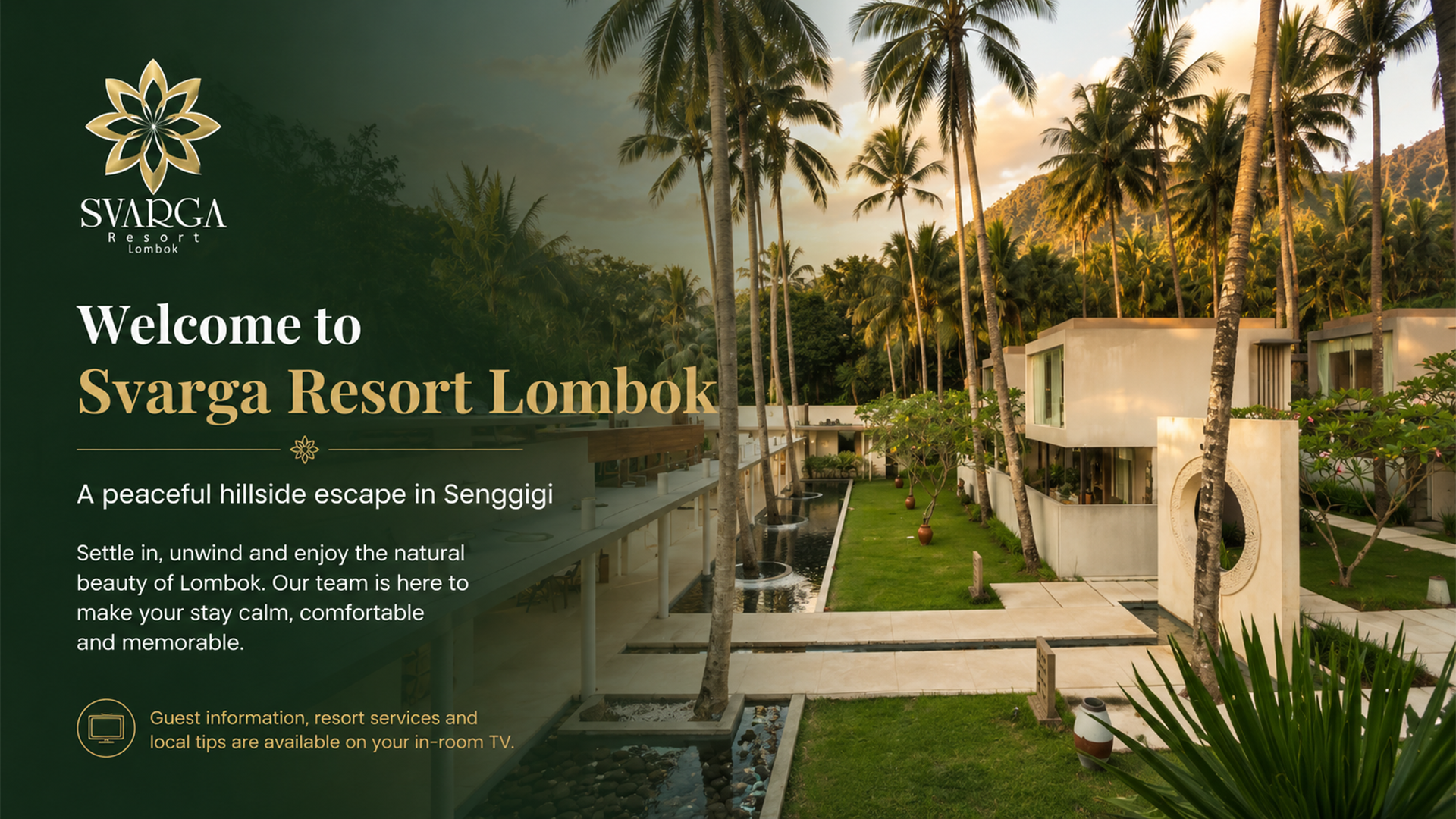
Turn the TV that is already in the room into a branded guest touchpoint for hotel information, upselling and direct requests.
Software-first hotel TV platform
•
Direct guest requests
•
Remote content management
THE COMMERCIAL OPPORTUNITY
Guests cannot book what they never discover.
Hotels already offer valuable services like spa treatments, dining, transport, activities and upgrades. WelcomeTV keeps those offers visible throughout the stay.
◎
01
Promote
Put hotel services and experiences on the screen guests already see every day.
◉
02
Engage
Use polished slides, video and room-specific content to create attention.
↗
03
Convert
Let guests scan Concierge and send a direct request without installing an app.
LIVE PRODUCT JOURNEY
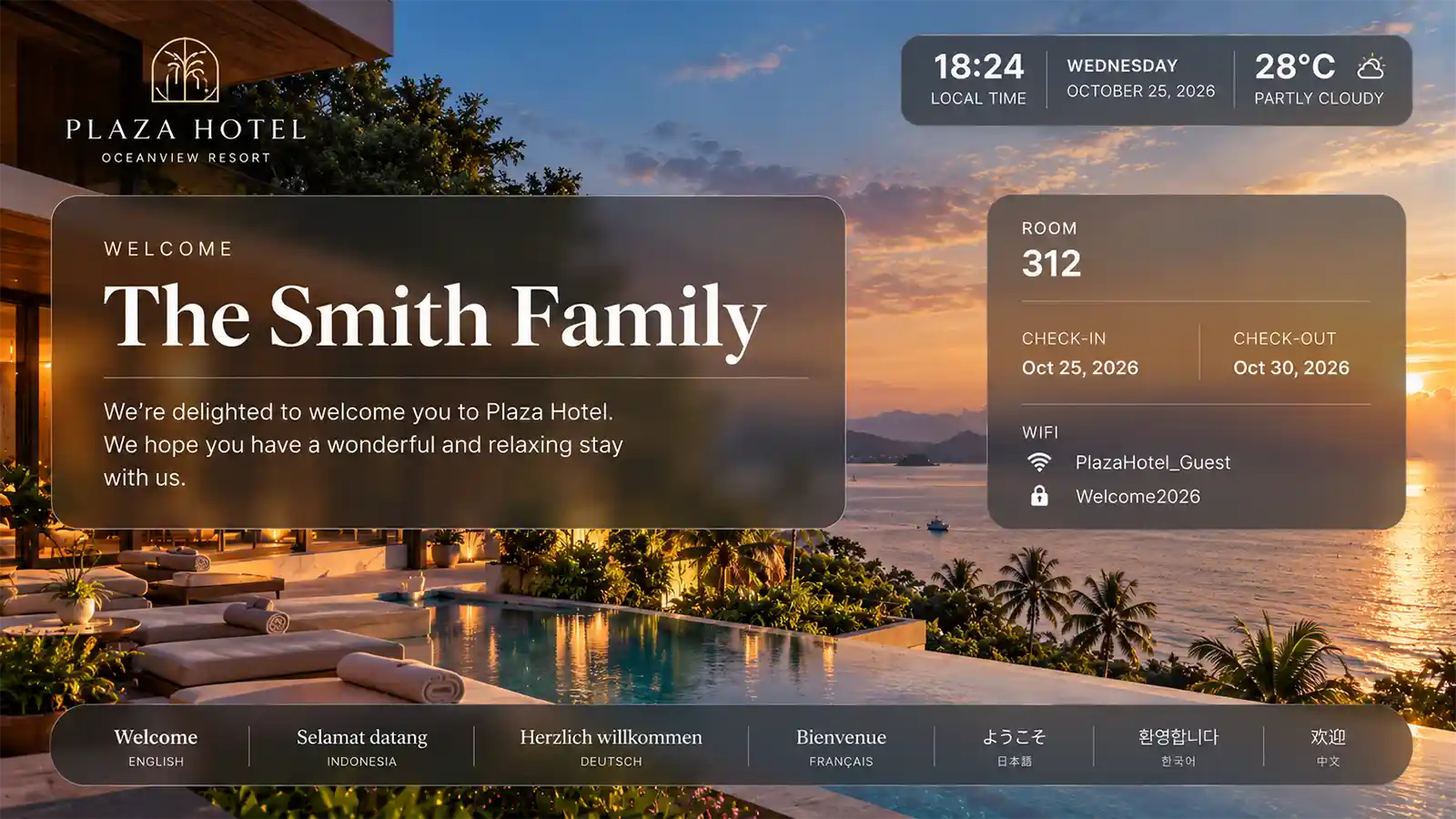
Personalized welcome
SEE THE PRODUCT, NOT JUST THE PROMISE
One screen. Multiple jobs.
WelcomeTV gives every screen a role before, during and after the guest decides to act.
Welcome personally
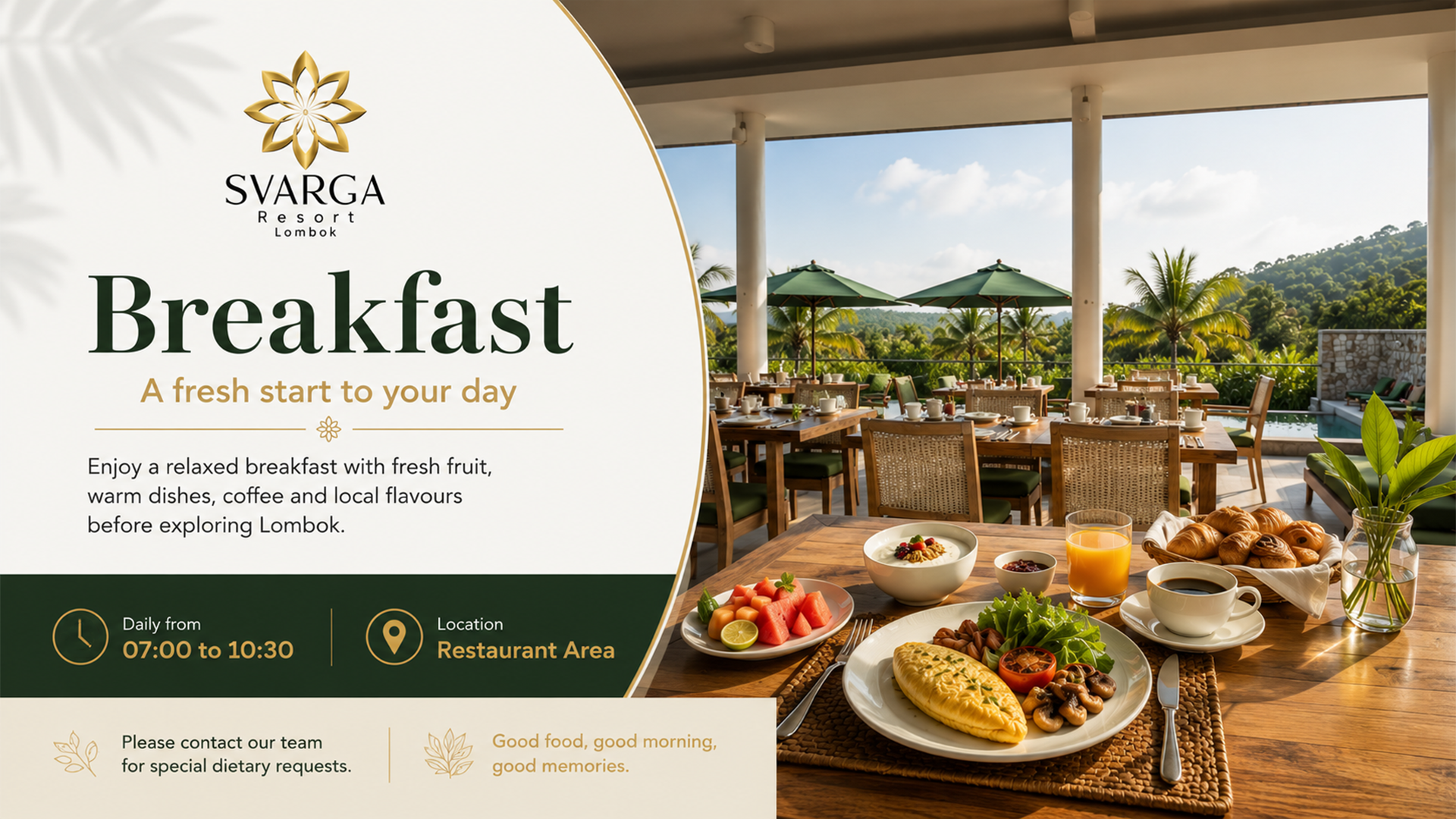
Show room-specific welcome content, Wi-Fi details, breakfast times and useful stay information.
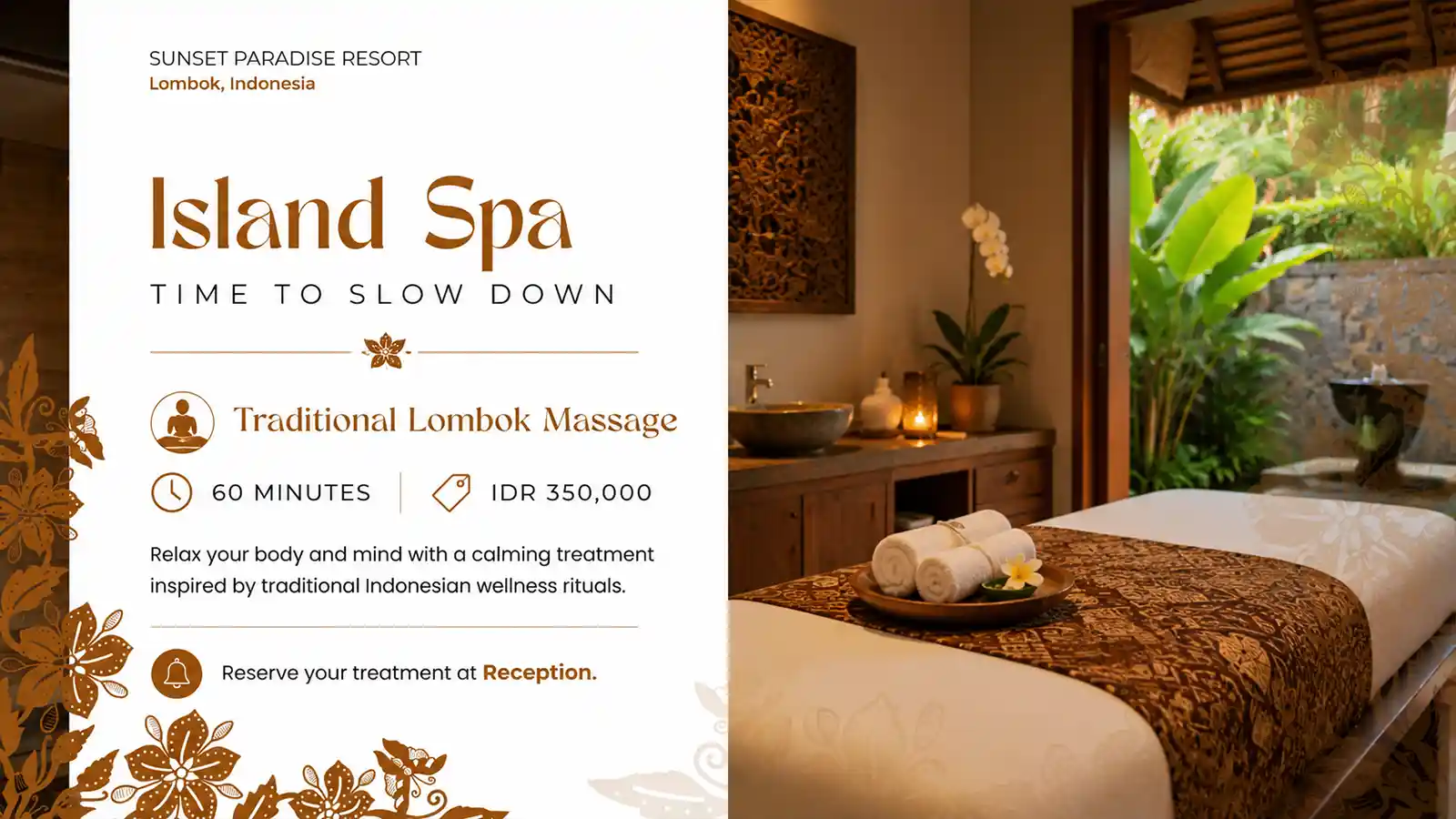
Promote what your hotel sells
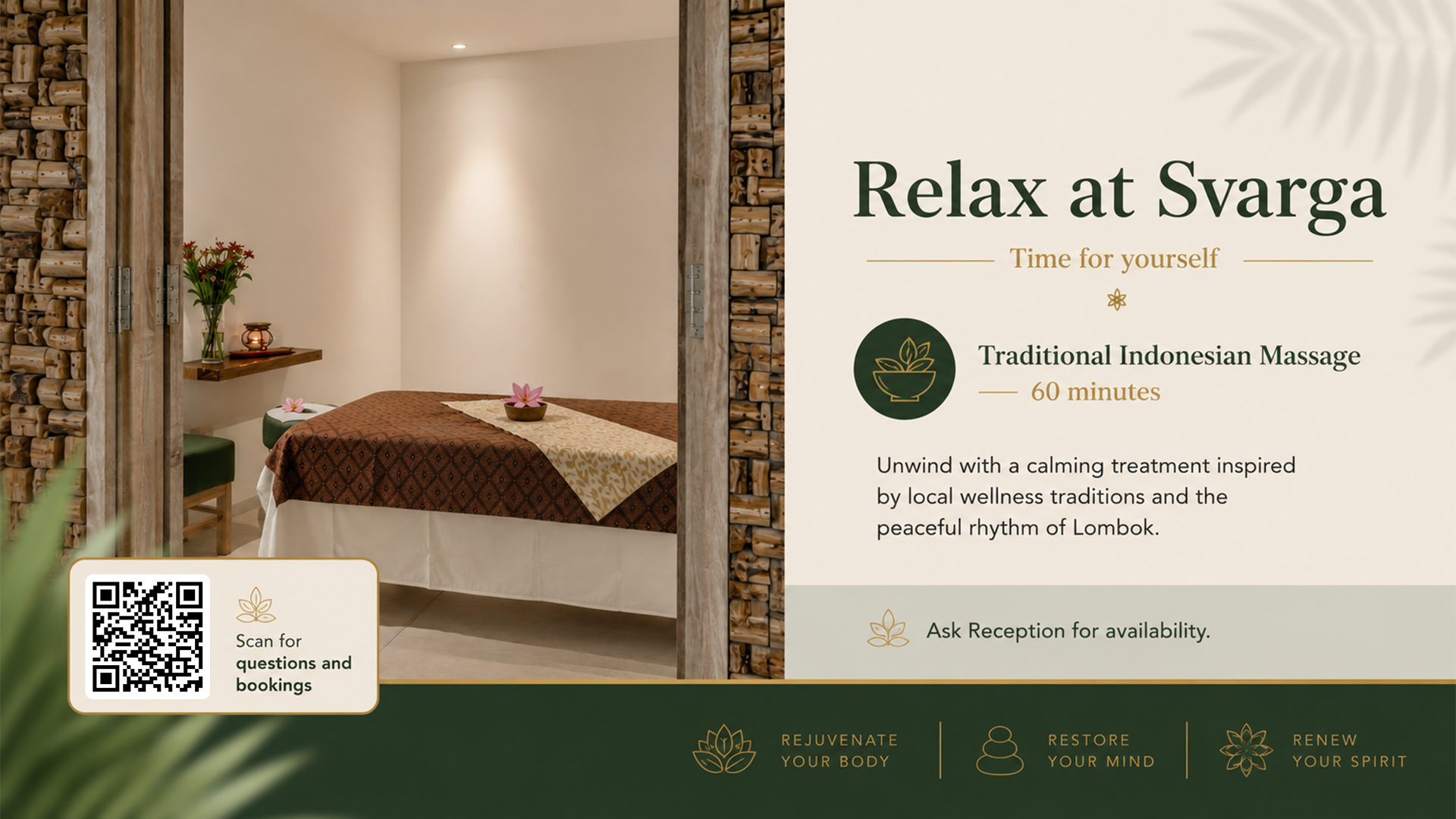
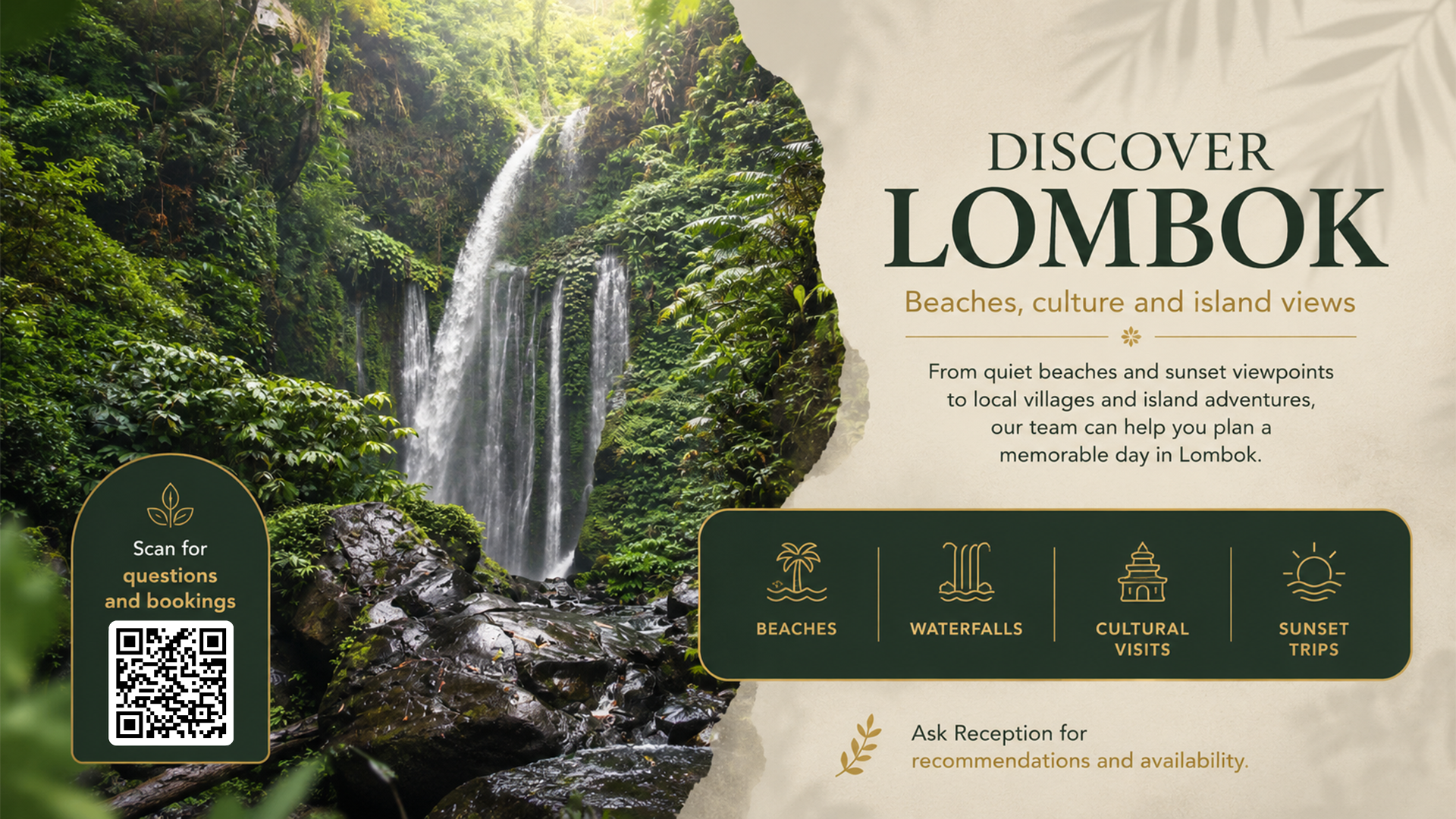
Spa, dining, transport, tours, upgrades and offers stay visible without adding another channel for staff to manage.
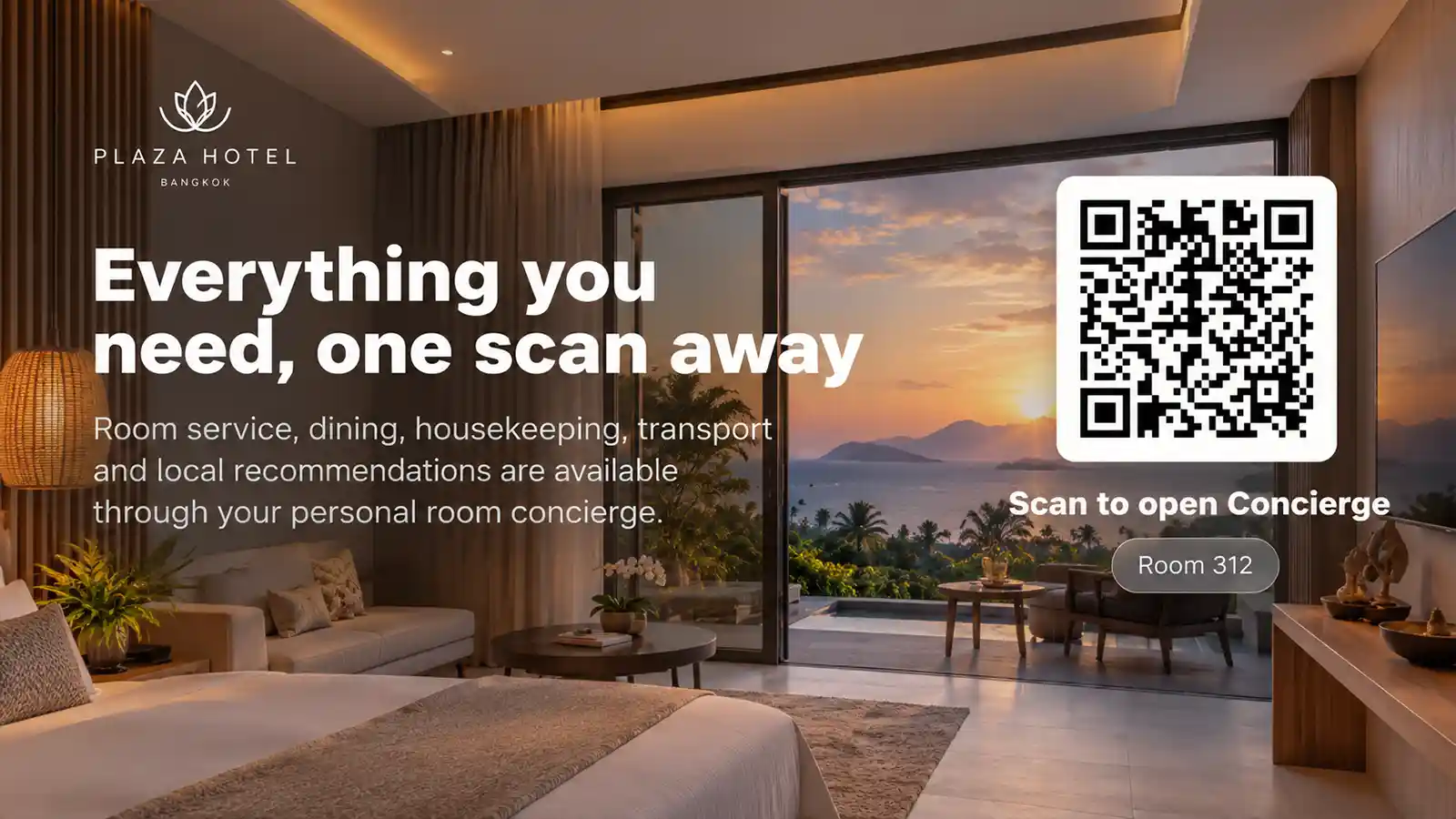
Turn attention into action
The room-specific Concierge QR opens a lightweight guest hub in the browser. No guest app required.
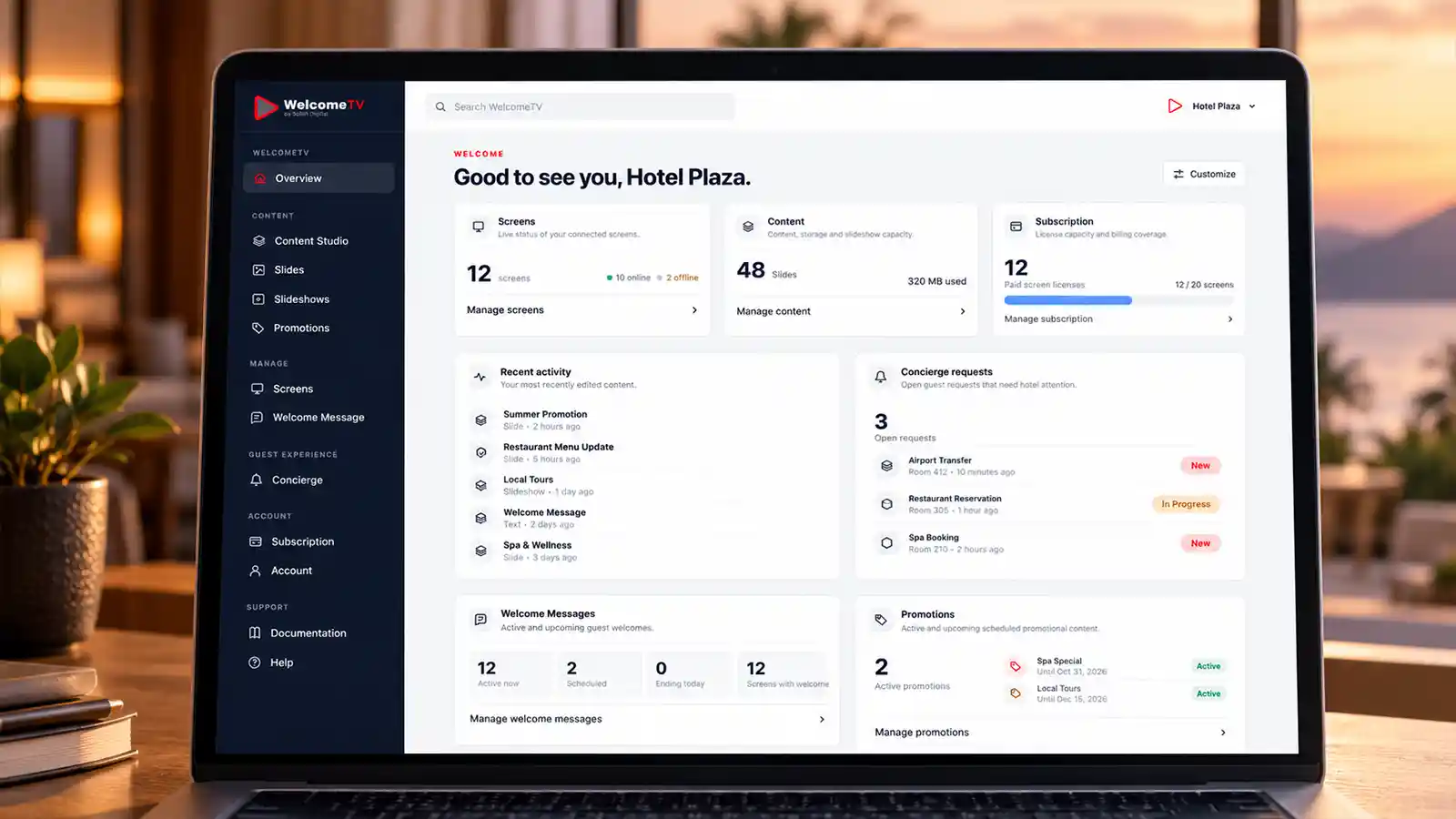
Manage everything remotely
Update content, assign screens and check status from the WelcomeTV dashboard.
WELCOME TV CONCIERGE
One QR. A direct line between the guest and your hotel.
Guests can request help, services or information without calling reception or searching for the right contact number.
TVGuest sees offer
→
QRGuest scans
→
DeskHotel receives request
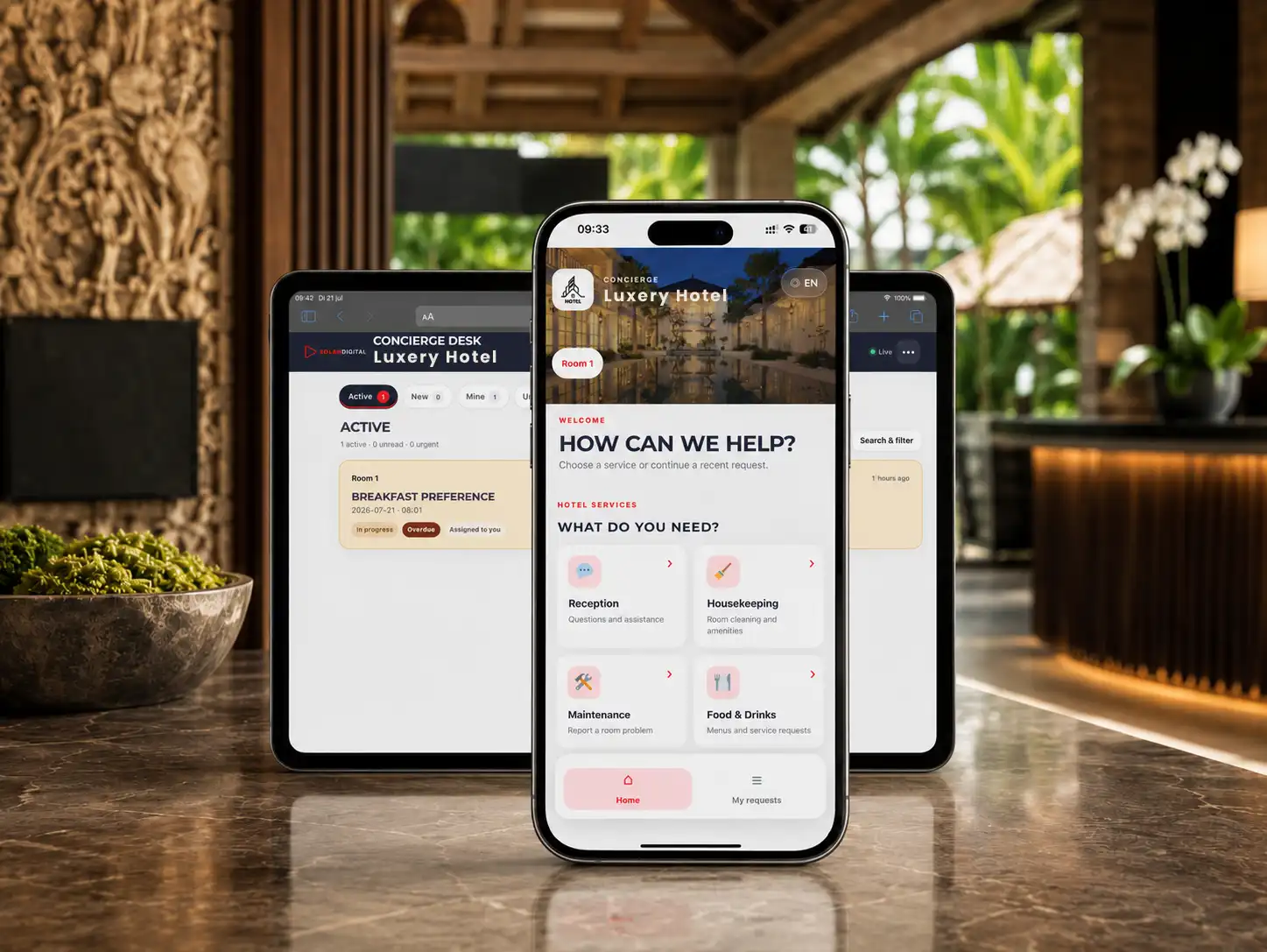
Concierge request flow
REVENUE OPPORTUNITIES
Put every hotel service in front of every guest.
Turn existing services into visible opportunities throughout the guest stay.
✦
WELLNESS
Spa & massage
Keep treatments visible while guests are relaxing in the room.
◌
FOOD & BEVERAGE
Dining & room service
Turn quiet screen time into another chance to sell food and drinks.
↗
EXPLORE
Transport & activities
Promote transfers, tours and experiences exactly where guests can act on them.
+
MORE FROM THE STAY
Upgrades & special offers
Give late checkout, romantic packages, laundry and events a permanent place to be discovered.
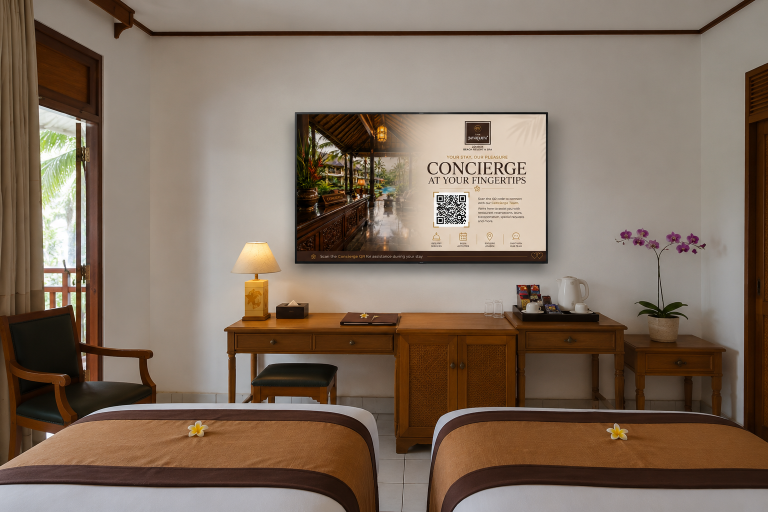
MORE THAN DIGITAL SIGNAGE
A better first impression in every room.
Welcome guests with room-specific screens and continue with useful, branded content throughout their stay.
- Personalized welcome screens
- Wi-Fi, breakfast and checkout information
- Different content per room, area or screen
- Images, video and background music
- Content for rooms, lobby, restaurant and spa
ONE CONTROL CENTER
Everything your team needs, without turning the TV into an IT project.
WelcomeTV keeps screen management simple. Assign content, see which screens are online and update hotel communication from one place.
01
Organize screens
Group rooms, public areas and properties in a clear structure.
02
Publish content
Push slideshows and updates without touching the TV itself.
03
See what is happening
Screen status and Concierge activity stay visible to your team.
Search WelcomeTV
Live overview
V
WELCOMETV
Good to see you, Villa Senja.
Overview of your connected screens, content and subscription.
Content synced to Room 214
Screens
Live status of your connected screens
5
screens
4 online
1 offline
Room 214Online
Room 216Online
LobbyOnline
SpaOnline
Android BoxOffline
Content
Slides and slideshows in your library
7
Slides
3
Slideshows
New SlideshowEdited today
Guest WelcomeAssigned to Room 214
Spa PromotionsAssigned to Spa screen
Subscription
License capacity and coverage
Active
Until May 21, 2027
5
Active screens
1
Included
4
Paid slots
Documentation
90 help articles available
WELCOME TV APPS
Use the screens you already have.
Install WelcomeTV directly on supported TVs, media players and compatible systems.
Android TV & Android boxes
Run WelcomeTV directly on supported Android TVs or on an Android box connected to an existing display.
Download App
Raspberry Pi
Ready-to-flash WelcomeTV image for Raspberry Pi. Flash it to a microSD card, boot and activate. Supports Raspberry Pi 4B and 5B with 2 GB RAM or more.
Download Image
Samsung Smart TV
A native WelcomeTV app for Samsung Tizen Smart TVs is currently in development.

LG Smart TV
A native WelcomeTV app for LG webOS Smart TVs is currently in development.
BUILT FOR REAL HOTEL CONDITIONS
Reliable playback without a permanent video stream.
WelcomeTV is designed around local playback while the cloud handles management, updates and connected services.
Local playback
Active content keeps playing even when the hotel connection is temporarily unstable.
No hotel server
No dedicated on-site server or traditional IPTV infrastructure is required.
Efficient updates
Only new or changed content needs to synchronize with each screen.
Remote management
Connected screens can report status and receive software or content updates remotely.
START IN MINUTES
From signup to live screen in three steps.
No sales call is required to get started.
Create your account
Register for WelcomeTV and open your hotel dashboard. Your first screen is free.
Install the app
Install WelcomeTV on a supported Android TV or Android box.
Activate & manage
Enter the code shown on the screen, assign content and manage everything online.
Create Free Account
No payment needed for your first screen.
START FREE
Put WelcomeTV on your first screen today.
Create an account, install the app and experience WelcomeTV on a real hotel screen before paying for additional screens.
- Full WelcomeTV dashboard
- Slides, images and video
- Personalized welcome screens
- WelcomeTV Concierge
- Remote content management
Your first screen
FREE
Create account · Install app · Activate
Add more screens whenever your property is ready.SIMPLE PRICING
Start free. Pay only when you add more screens.
One clear standard price, with a lower effective monthly rate when you pay annually.
FIRST SCREEN
FREE
Use a real screen to experience the platform before expanding.
- Full WelcomeTV dashboard
- Slides, images and video
- Welcome screens
- WelcomeTV Concierge
- Remote content management
ADDITIONAL SCREENS
Regional pricing
FROM
—
/ screen / month
Effective monthly price when billed annually.
Standard monthly price
—
- Add screens whenever you need them
- Same dashboard and content tools
- Flexible for rooms and public areas
- Monthly and annual billing options
Loading regional pricing…
NO HARDWARE LOCK-IN
Use supported TVs or Android boxes you already own.
NO SALES GATE
Create an account and activate your first screen yourself.
NO GUEST APP
Concierge opens directly in the guest's browser.
FREQUENTLY ASKED QUESTIONS
The practical details before you start.
Still unsure? Your first screen is free, so you can test the actual product instead of deciding from a sales deck.
Try WelcomeTVWhat devices support WelcomeTV?+
WelcomeTV is available now for supported Android TVs and Android boxes. Native Samsung Tizen and LG webOS Smart TV apps are coming soon.
Is the first screen really free?+
Yes. You can create an account and activate your first WelcomeTV screen without purchasing an additional screen subscription.
How much do additional screens cost?+
Loading regional pricing…
Can different rooms show different content?+
Yes. Each screen can be assigned its own slideshow, welcome screen and room-specific Concierge experience.
Will content keep playing if the internet is unstable?+
Active content is designed to play locally on the device. Internet is still required for updates, remote management and online Concierge functions.
Do guests need to install an app for Concierge?+
No. Guests scan the room-specific QR code and use the Concierge guest hub directly in their browser.
Do we need a hotel server?+
No dedicated hotel server is required. WelcomeTV screens synchronize directly with the online platform.
Can I use an Android box with an existing TV?+
Yes. A compatible Android box can run WelcomeTV on an existing TV or display.
PLANNING A LARGER ROLLOUT?
Start free — or talk to us about your property.
You can activate your first screen yourself. If you are planning multiple rooms, multiple properties or want help with your setup, tell us what you have in mind.
PT Solah Digital Indonesia Menara Cakrawala, 12th Floor Unit 05A Jl. MH. Thamrin, Jakarta Pusat Indonesia